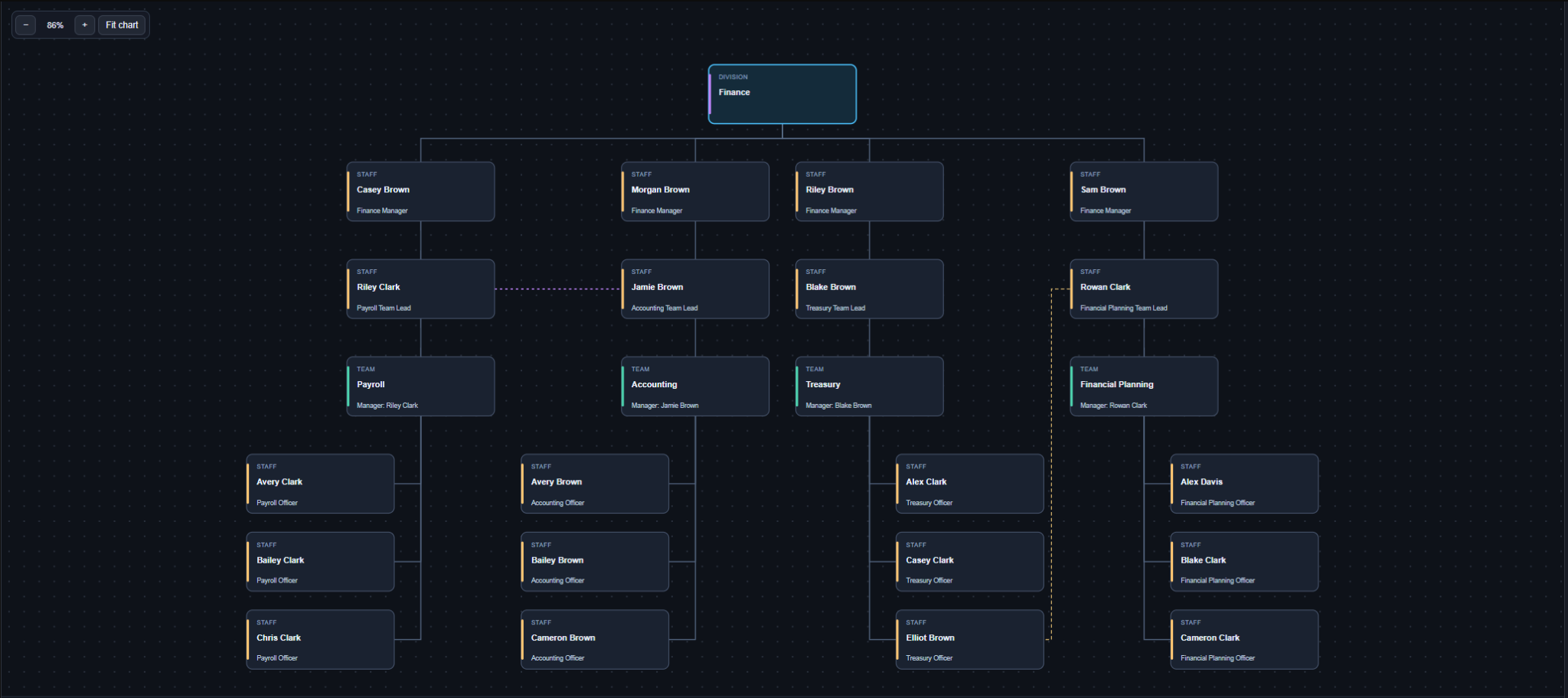
Bring data from the tools you already use.
Use our CSV template to bring in staff data from an HR system, payroll export, spreadsheet or another source. Map your data to the template, then import it into OrgSnap.

ORGANISATION CHARTS, WITH CONTEXT
Turn staff data into a chart that reflects how your organisation actually works.
Bring together company CSV data and Microsoft Entra ID. Shape the structure, protect the exceptions, and share a clearer picture.
Upfront training. Clearly scoped product support.
Chart builder demo
Watch how to build and export an org chart from staff data, even when managers and teams haven’t been assigned.
01 / CONNECT YOUR DATA
Microsoft 365 knows your accounts. Your company data adds the organisational detail. OrgSnap brings them together.
Use our CSV template to bring in staff data from an HR system, payroll export, spreadsheet or another source. Map your data to the template, then import it into OrgSnap.
One-way Microsoft Entra ID sync brings staff account details and reporting information into your directory. It reads from Entra; chart edits do not write changes back to Microsoft 365.
Match CSV and Entra records to the same person, enriching directory data with details such as business units and teams. Keep the useful information each source provides.
Customer Experience Lead
02 / SHAPE YOUR CHART
Real structures have teams, shared responsibilities and exceptions. Give them the space they need.
Build with organisational units, departments, teams and people. Open individual branches or explore the full hierarchy.
Drag boxes into place. Mix horizontal branches with left- or right-stacked staff. Consolidate matching roles when a shared box tells the story better.
Show the manager relationship alongside chart-only functional and project reporting. Reflect responsibilities that go beyond a single reporting tree.
Give generated charts your organisation’s colours, logo and presentation style. Choose the view and arrangement that suit your audience.
KEEP SYNC. KEEP CONTROL.
Lock individual directory records against source updates and automated deletion. Keep saved chart arrangements separate from later directory imports.
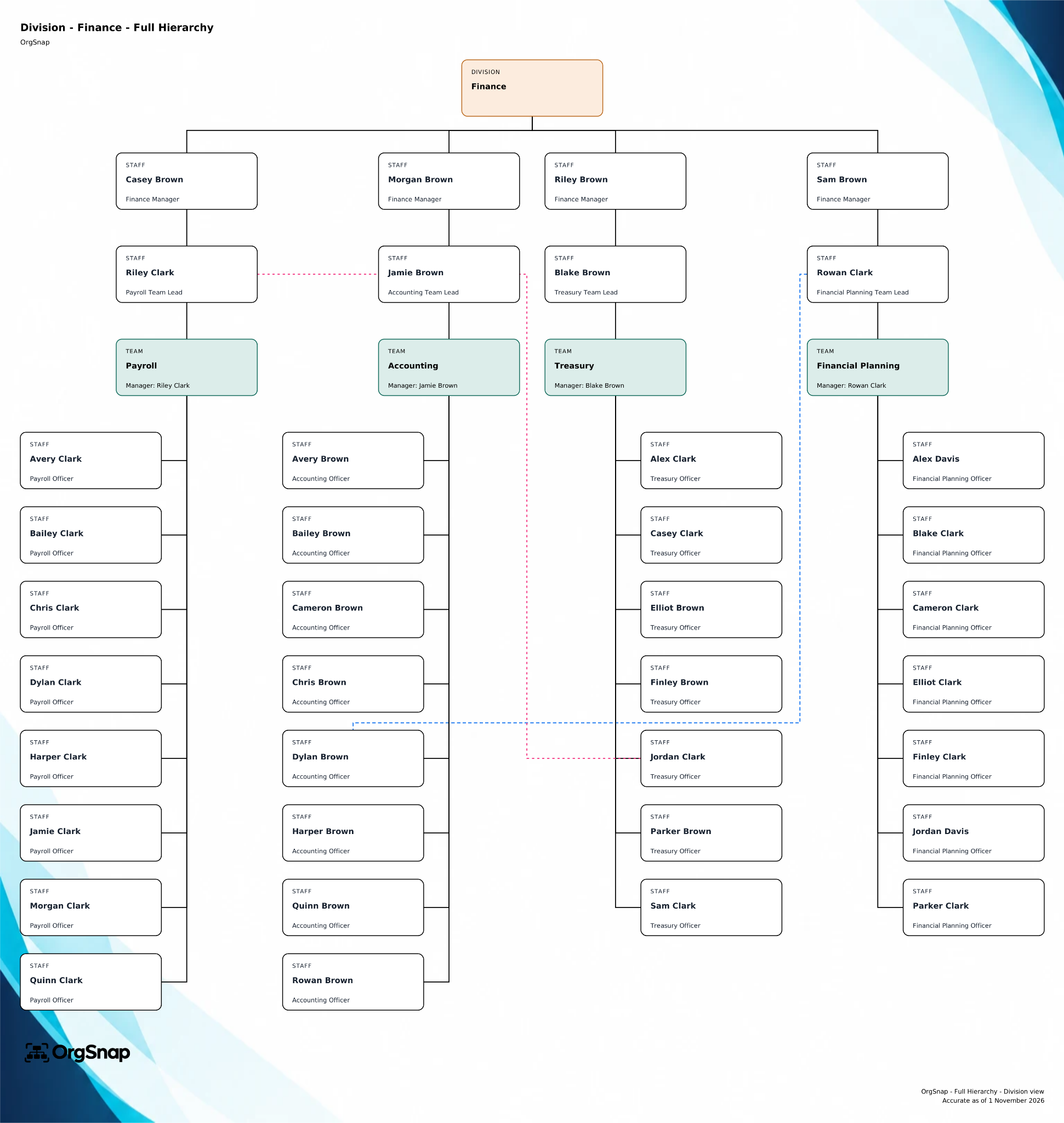
Give a taller structure room to breathe, with your own colours, background, logo and footer.
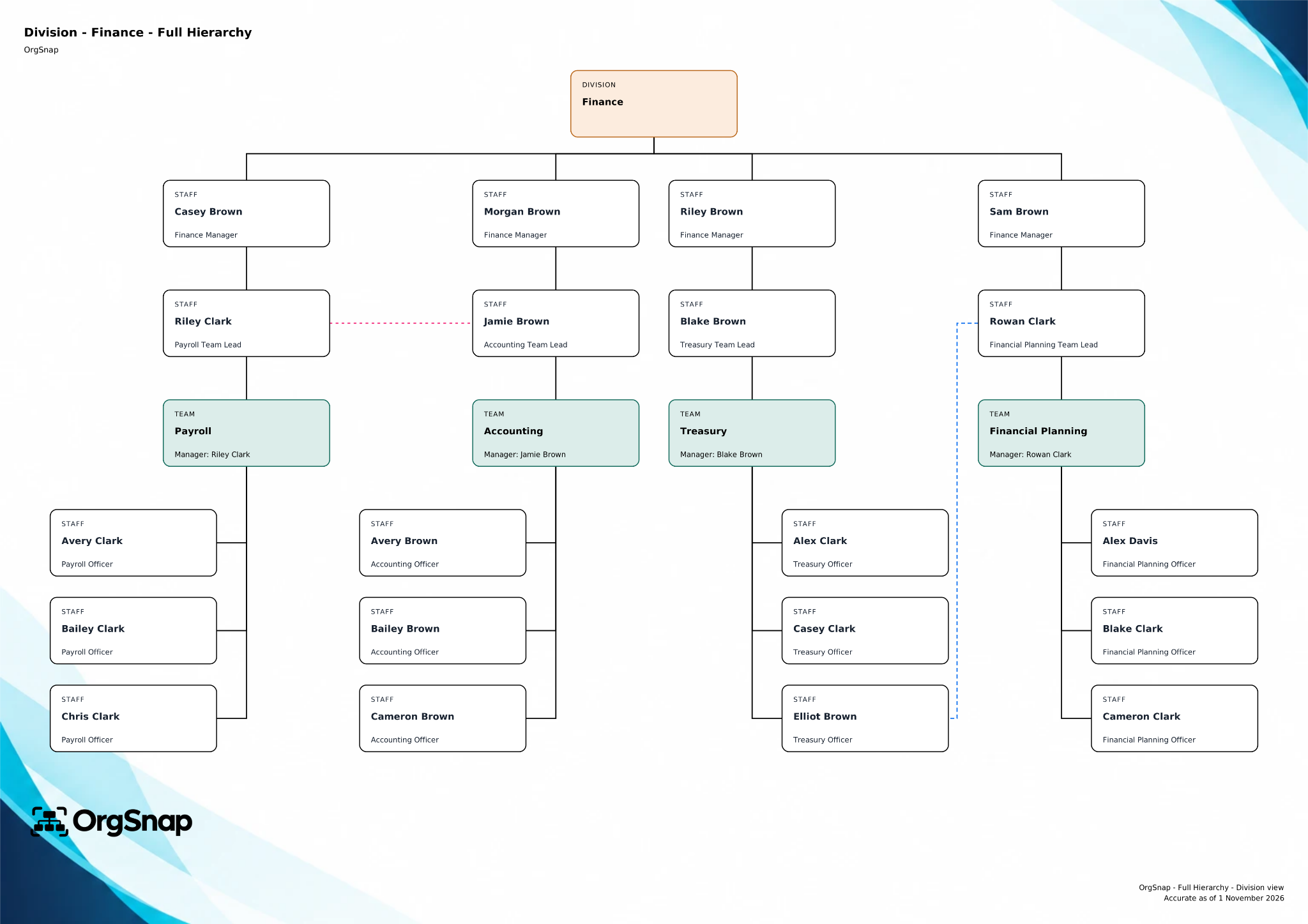
Present a wider chart with your branding to suit your documents, screens and audience.
Actual OrgSnap exports using fictional staff data. Select an image to explore the original in more detail.
SECURITY & AUSTRALIAN HOSTING
OrgSnap’s application, database and customer-content backups are hosted in the AWS Sydney Region.
Sign in with Microsoft Entra ID using your Microsoft work account. OrgSnap roles control access to administration and chart-editing features.
Access checks keep each customer’s staff records, saved charts and settings within their own organisation’s workspace.
HTTPS protects data in transit. AWS CloudFront and AWS WAF add request filtering and rate limits in front of the application.
Automated daily customer-content backups and organisation-specific restore points support recovery from accidental changes or data loss.
AWS HOSTING INFRASTRUCTURE
AWS’s Australian cloud offering, including the Sydney Region, is certified at the Strategic level under the Australian Government’s Hosting Certification Framework (HCF).
View the certified service providersSOFTWARE, WITH A CONVERSATION
Get your business users started with an agreed upfront training session. Product support covers technical issues and feature questions, with the scope set out in your quote.
How we work with youA FEW PRACTICAL QUESTIONS
Yes. Your organisation needs Microsoft 365 work accounts to use OrgSnap. You sign in using your work account. OrgSnap uses Microsoft’s sign-in service, called Entra ID, to set up your organisation and its first administrator. You can then bring in staff information from Microsoft 365 and add company data using CSV imports.
Saved charts keep their arrangement when directory data changes. Your directory and your chart presentation have separate jobs, so a later import does not automatically overwrite the structure you’ve arranged.
We’ll provide an annual licence quote based on your organisation’s requirements. We’ll also agree the scope of initial business-user training and ongoing support. Tell us your staff numbers and what you want to achieve, and we can discuss the right fit.
LET’S MAKE THE STRUCTURE CLEARER